











Greetings, FS City
The following are the updates for the end of this month.
[System]
1. Pet System Change
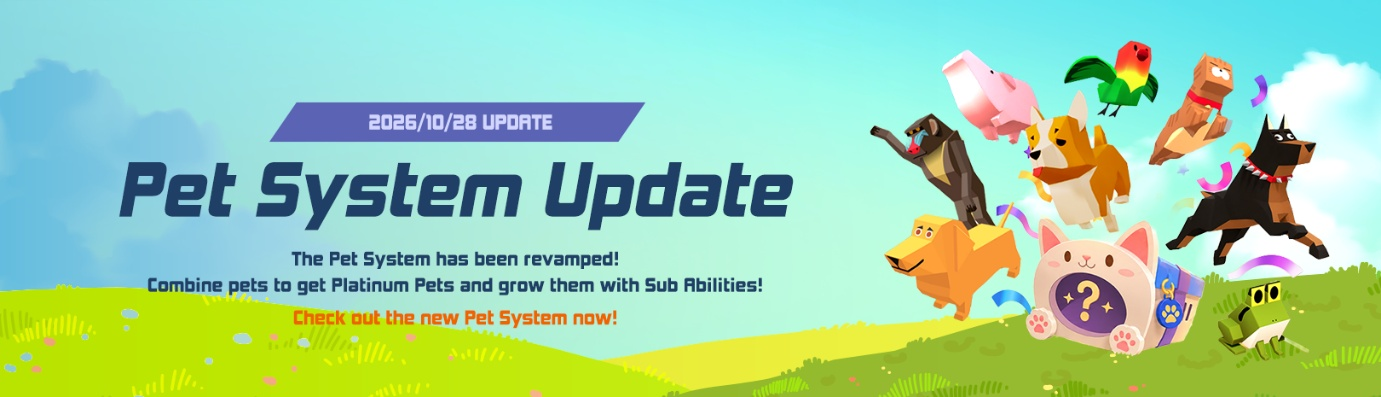
Your adorable pet companion is back — stronger than ever!
The pet system has been completely revamped.
Please refer to the details below.
1. Pet Adoption System Change
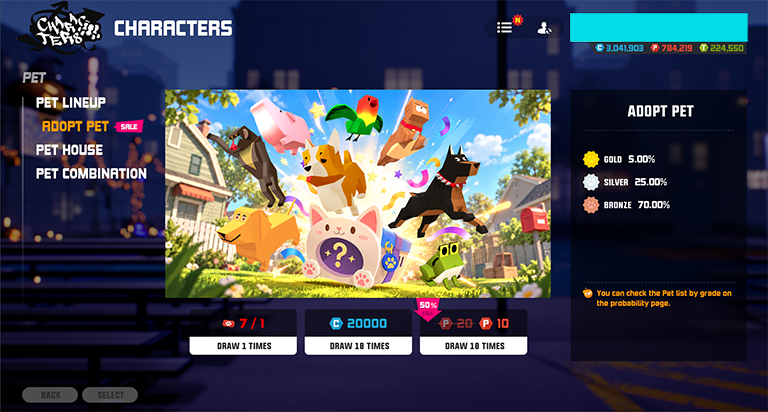
- Kennel products were removed, and a single Pet Adoption banner was added.
You can access the Pet Adoption banner via [Characters] – [Pet].
- Use Coins or Points to adopt a pet. There is no difference in draw rates between currency types; only the amount consumed differs.
- Please refer to the rates below. Rates are equally distributed for the same grade of pet.
| Grade | Rate | ||||
| Bronze | 70% | ||||
| Silver | 25% | ||||
| Gold | 5% |
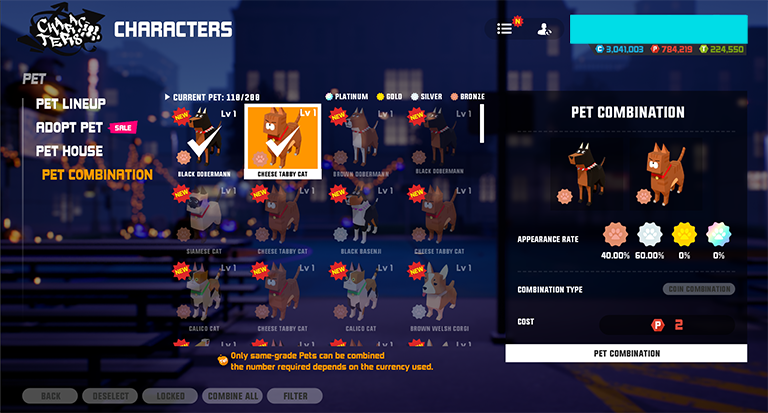
- You can combine same-grade pets to obtain a same-grade or higher-grade pet.
- Pet Combination requires coins or points. There is no difference in combination probability between currency types, but the required pet materials by currency type are as follows :
Coins: 5 pets required
Points: 2 pets required
- When combining Platinum Pets, one random Platinum Pet will be obtained.
(Higher grades are not available)
- Please refer to the table below for the combination rate.
| Combination Pet Grade | Same Grade Result Rate | Higher Grade Result Rate | |||
| Bronze | 40% | 60% | |||
| Silver | 60% | 40% | |||
| Gold | 75% | 25% | |||
| Platinum | 100% | — | |||
2. Pet Ability & Growth Change
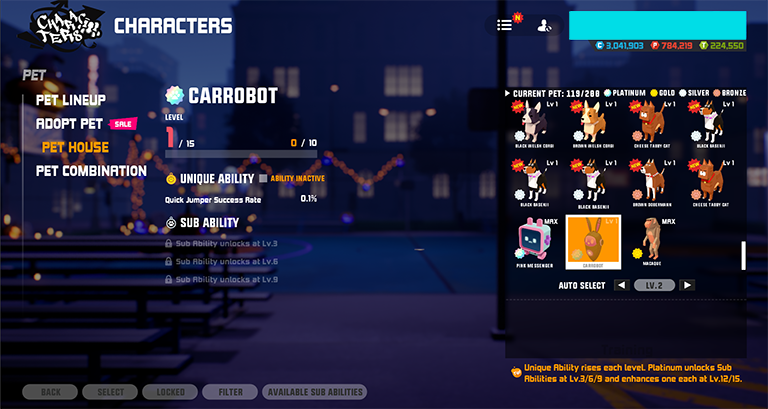
- Sub Abilities can be unlocked and enhanced through Pet Enhancement.
Enhancement consumes Pets and Coins as materials.
- Sub Abilities are sequentially unlocked every 3 enhancement levels.
After all Sub Abilities are unlocked, you can enhance one unlocked ability at random at every 3 enhancement levels.
- Please refer to the table below for the number of unlockable Sub Abilities and max enhancement level by grade.
For detailed information, please refer to the separate chart: [View Details]
| Grade | Bronze | Silver | Gold | Platinum |
| Unique Ability | O | O | O | O |
| Sub Ability | X | 1 | 2 | 3 |
| Max Enhancement Level | 3 | 6 | 12 | 15 |
3. Other Changes
- Pet Skill Change / Appearance Change / Name Change features have been removed.
Pets owned prior to the 10/28 update will retain their last settings before the 10/28 update.
- Sales and usage of the following pet-related items have been discontinued:
Pet Skill Change Ticket / Appearance Change Ticket / Name Change Ticket
Pet Coins / Pet Grade Up Items / Silver Pet Adoption Tickets
Gold Pet Adoption Tickets can be used in the new Adoption Banners after the 10/28 update
- Items remaining unused before the 10/28 update can be sold for a certain amount
of coins from your inventory.
- Each character can still equip one pet. The pet equip system remains the same.
4. Existing Pet Transition
- Pets owned before the 10/28 update will remain fully usable
- Skill activation conditions for existing pets will be removed, and skills will be locked to
their last settings.
- Existing pets will not receive Sub Stats; only their original pet skills will be retained
- Existing pets can be used as combination and enhancement materials.
New Pets can be obtained through combination.
~ 3on3 Freestyle Team

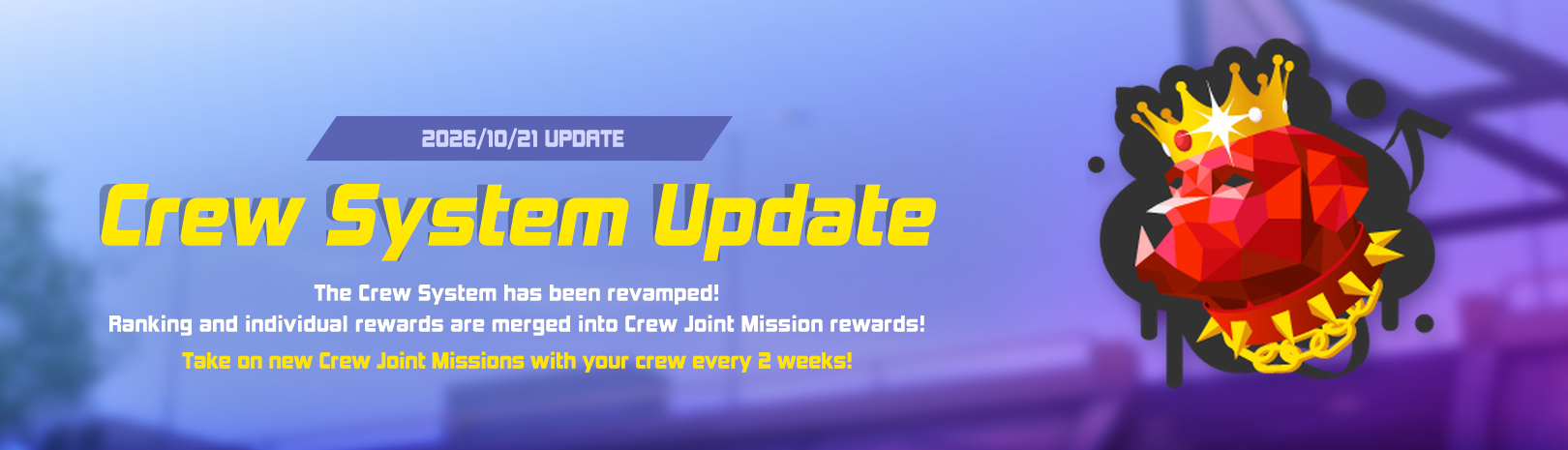
1. Crew Mission Update
Take on Shared Missions with your crew and earn bigger rewards!
What is Crew Mission?
- 5 Shared Missions are given every Crew Season (2 weeks). Your crew's combined play records count toward each mission.
- Previous Crew Rank rewards and individual rewards are merged into Crew Mission rewards.
- Mission requirements are set by the number of Crew members, so small crews with high participation can earn rewards more easily.
*Missions may change each season.
Reward Split
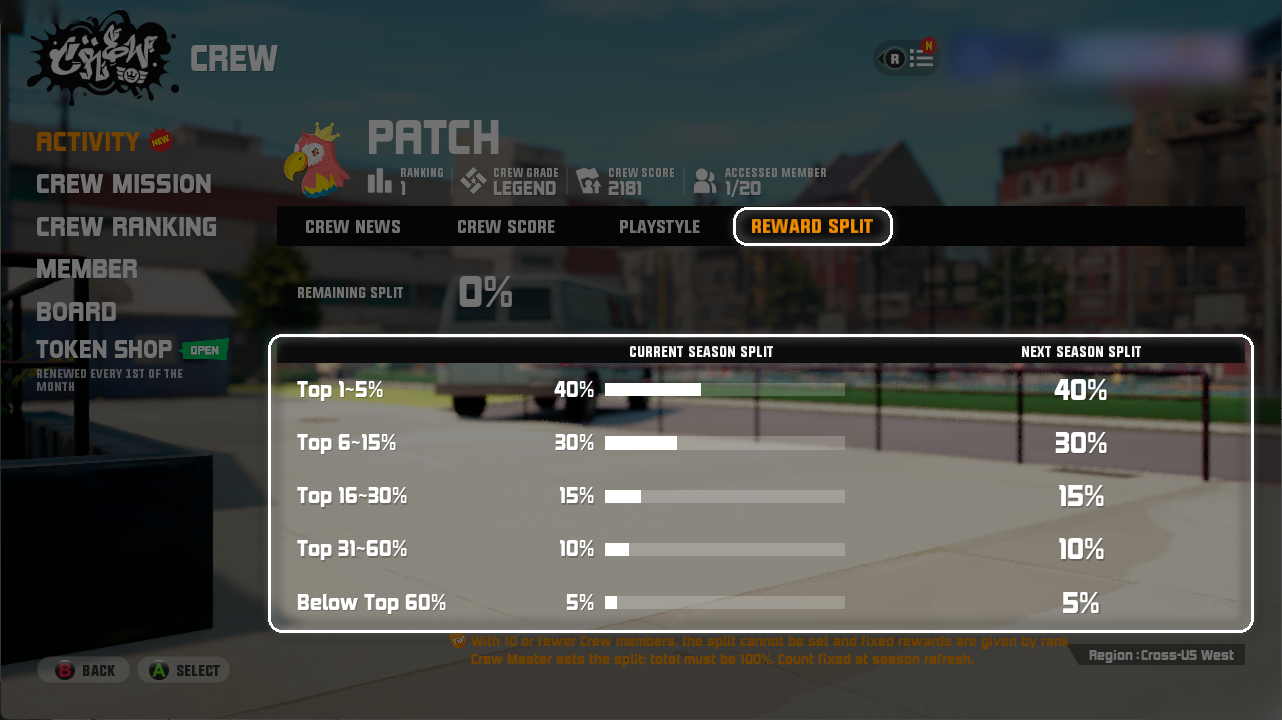
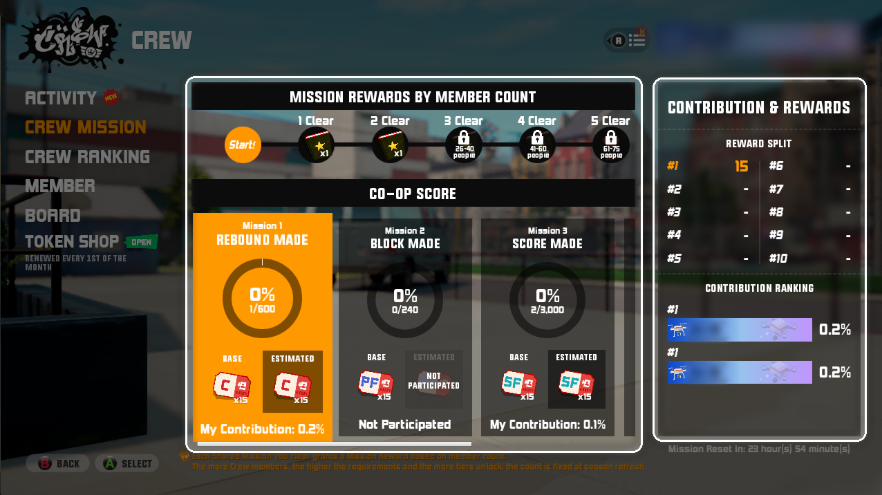
- Each mission has a Total reward. When the mission is cleared, you receive your share based on the Contribution Ranking.
- My reward = Total reward x My Reward Split Ratio
- Example) If the Total reward is 15 and your split is 5%, you receive 1.
- Ranks are set for each mission. For tied scores, the member who reached it first ranks higher.
- Members who did not participate (0% contribution) cannot receive that mission's reward.
[11 or more participants] Crew Master sets the Reward Split (default below)
*Set in [Activity] > [Reward Split]. It applies from the next Crew Season.
[10 or fewer participants] Fixed rewards by rank (example)
Shared Reward
- Each Shared Mission you clear unlocks 1 Shared Reward tier. You can receive tiers up to your Crew member count at the start of the season.
*Example) A crew with 20 members at the start of the season clears all 5 missions → Tier 1~2 Shared Rewards (Intensive Note x2).
Season Participation & Reward Rules
======================================================================
2. Crew Feature Improvements
Enjoy crew activities with the new Crew menu!
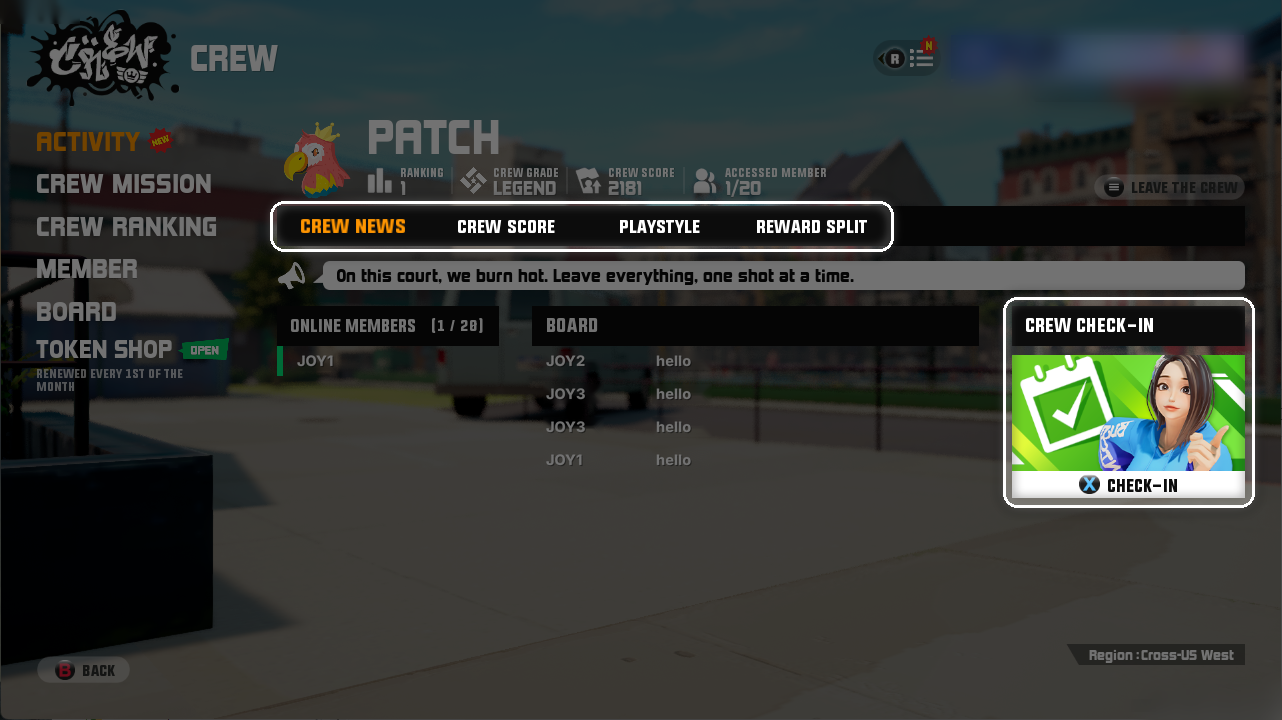
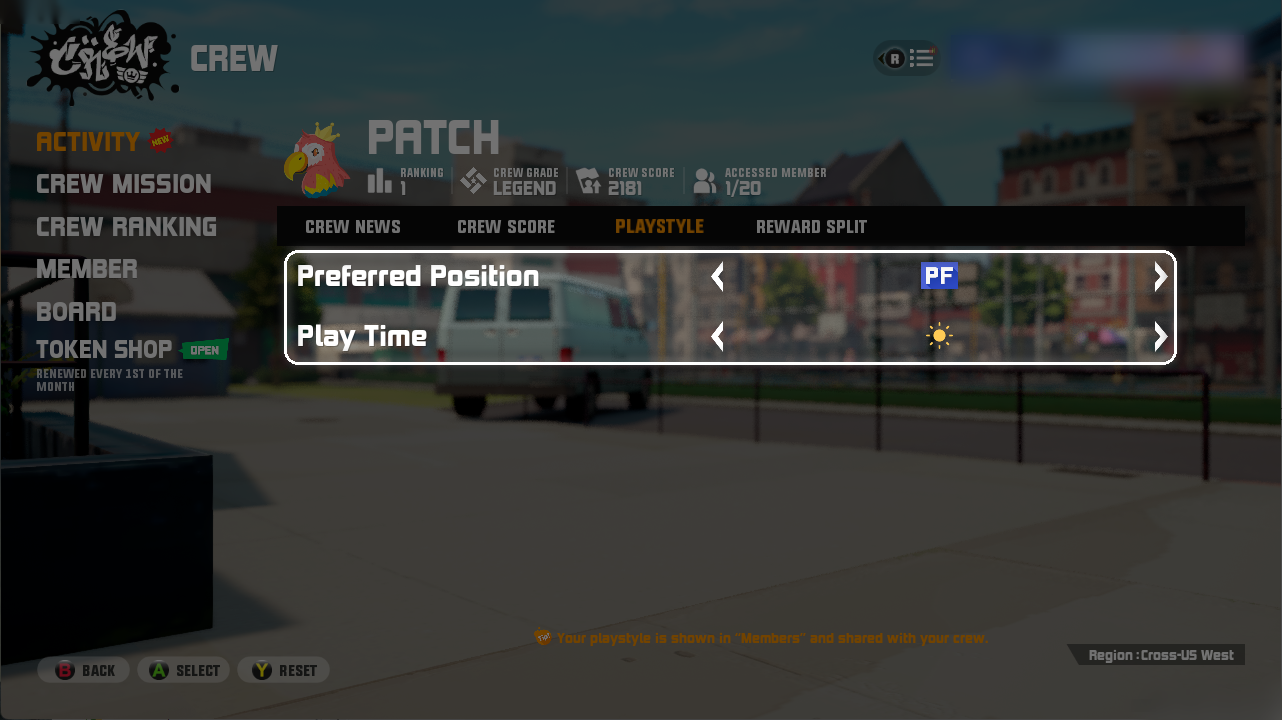
Crew Menu Update
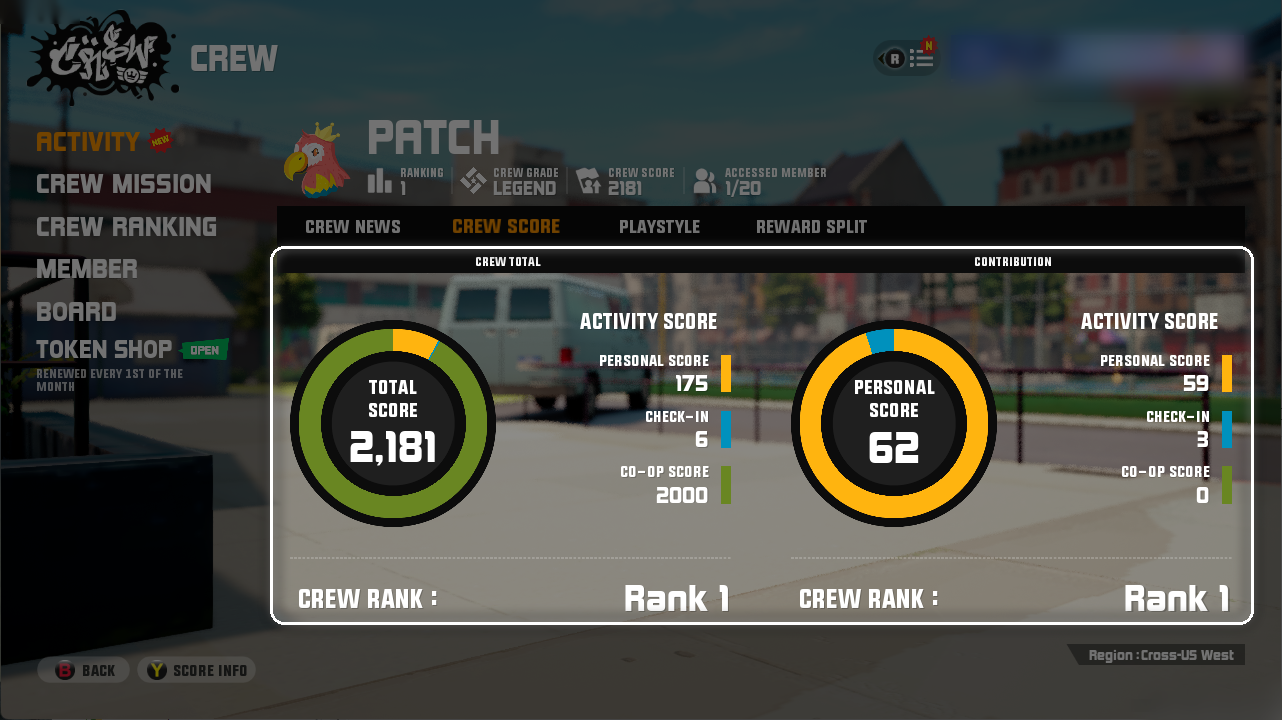
[Crew Score Info]
*Co-op Score counts only toward the crew Total Score, not your Personal Score.
Crew Join Improvements
- The [Recruiting Crews] tab is shown first. You can check Join Req. (Instant Join / Apply Join / Unavailable) in the crew list.
- Crews you applied to show [Pending]. You can apply to up to 5 crews, and the oldest request is canceled when applying to another crew.
Inactive Crew Auto-Disband
Token Shop & Token End Notice
- The Token Shop and Tokens end on [TBD]. Tokens cannot be used after that.
Other Changes
- A [Mission] row is added to the Crew Score on the match result screen.
- 2 crew banners are removed from the Squad page.
- Fixed: Crew Check-in not working right after creating a crew, and focus moving when scrolling the Crew Rank list.
====================================================================
- 3on3 Freestyle Team

Greetings, FS City
The following are the updates for the end of this month.
[System]
1. 3vs3 Matchmaking Improvement
Matchmaking improvement is applied to 3v3 mode.
This update lets you find opponents who have a similar skill level and shorten match-finding time.
Check below for more details.
> With this update, the separate high-tier and low-tier matchmaking pools are being combined into one. Combining the pools does not mean you'll be matched against players far outside your skill range.
> Matchmaking now searches more efficiently, so finding a match takes less time.
> Matchmaking now picks opponents more precisely, so you're more likely to face players at a similar skill level.
2. Crew System Improvement Pre-Notice
3on3 developer team is continuously working on improvements so that you can keep
enjoying 3on3.
In late October, we'll be rolling out a Crew update — bringing in content that better fits what Crews are for, and giving Crew members more ways to work together.
Please note that the schedule is subject to change.
> Crew system’s UI/UX will be improved, making the Crew menu easier to use.
> Crew Missions will be reworked to encourage Crew members to play together more, with more challenging missions to take on.
> Crew reward system will be improved so that even smaller Crews can earn a variety of rewards based on their members' activity and teamwork.
We'll share the full update details once the Crew update goes live.
- 3on3 Freestyle

Greetings, FS City
[System]
1. Growth Score & Fame System Update

How much have your characters grown? Check it with Growth Score and Fame!
Train and win to raise your score. Compete with other ballers!
1) What are Growth Score and Fame?
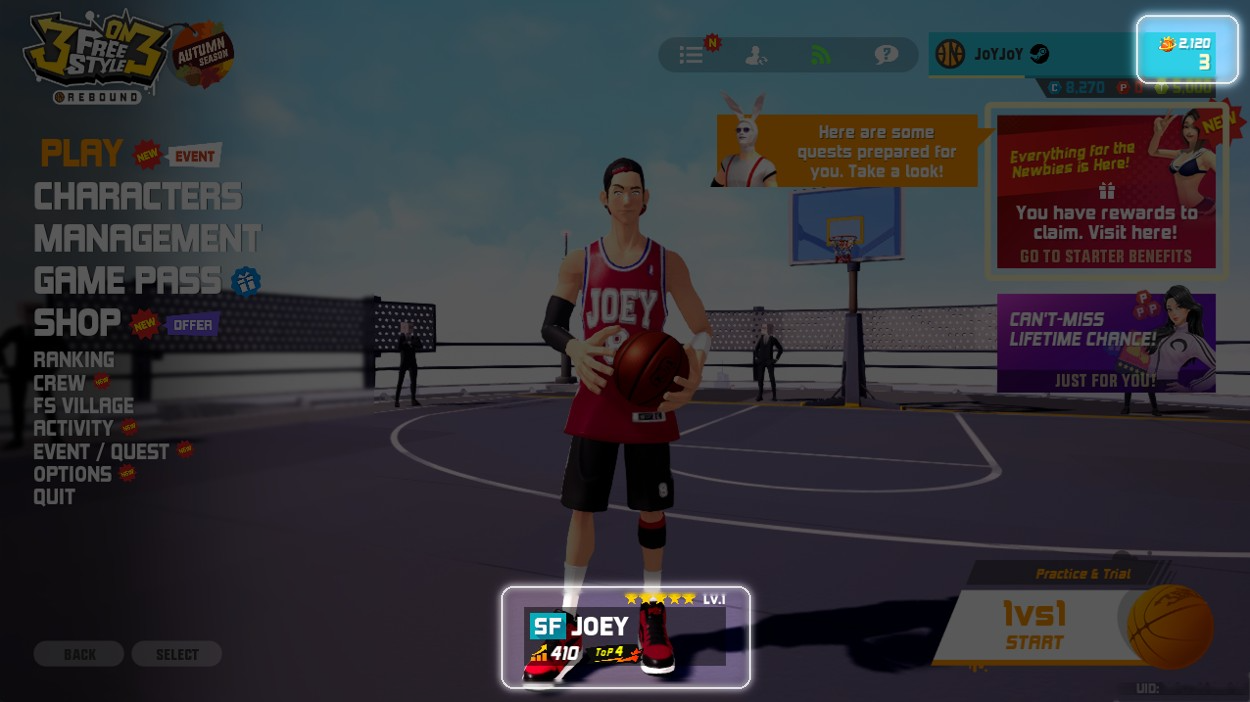
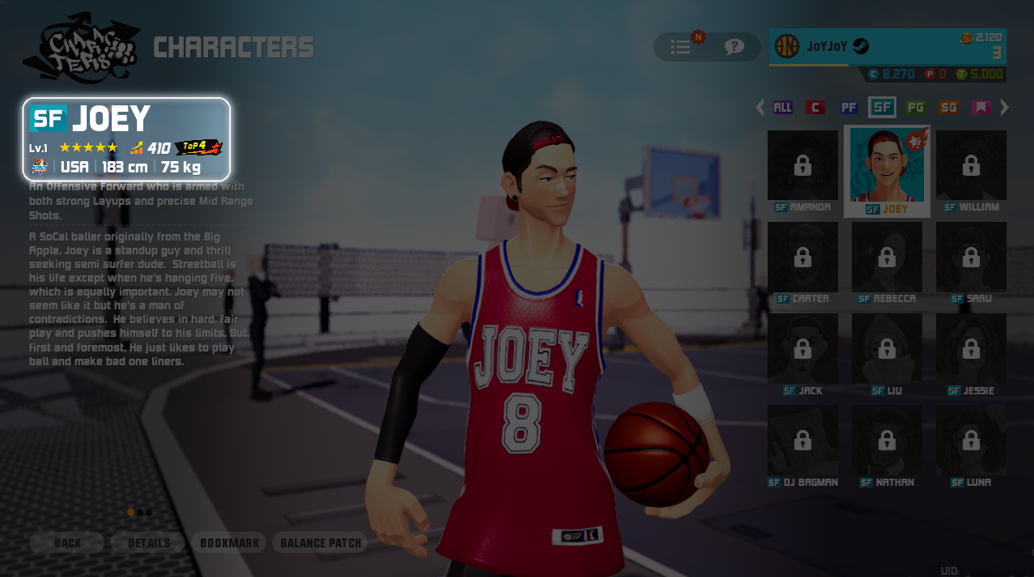
-Your current stats and wins from the last 15 days are applied from the 9/30 update.
2) How to Raise Growth Score
[Character Prestige Up]
-Prestige Up adds the Growth Score in the table.
-Stats drop slightly on Prestige Up, so the final gain is lower than the table.
[Pet]
[Wins]
- Only 3vs3 wins from the last 15 days count. Wins from other modes do not count.
- Each day, the oldest day of wins is removed. If you stop winning, your score and rank may drop
3) How to Raise Fame
- Your Fame rises when a character gains Growth Score.
- Getting a new character also adds to your Fame.
- Training more characters raises Fame faster.
- Unowned and Temporary characters do not count.
- Fame calculation example:
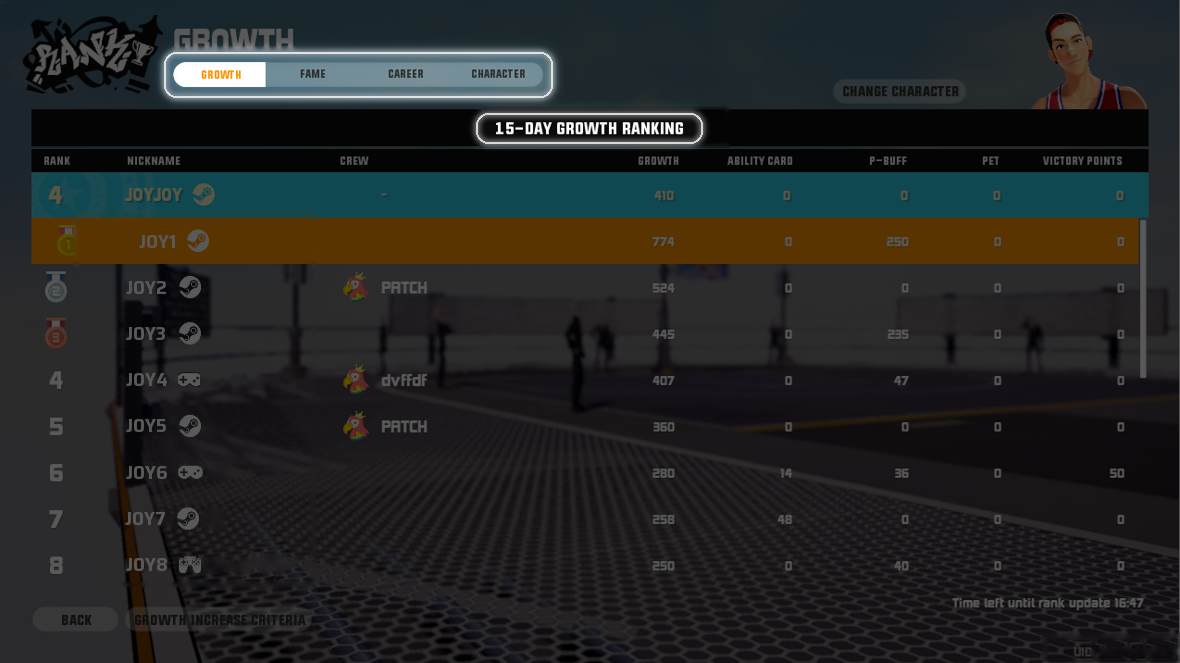
- Growth Score Ranking (by character) and Fame Ranking (by account) are added.
- Tab order: Growth Score → Fame → Career → Character.
- Both rankings are based on the last 15 days. Past rankings are not saved.
2) TOP 10
- Characters in the Top 10 get a TOP rank icon in the lobby and matchmaking screen.
- The TOP rank icon is shown instead of the Champion mark.
3) New Options
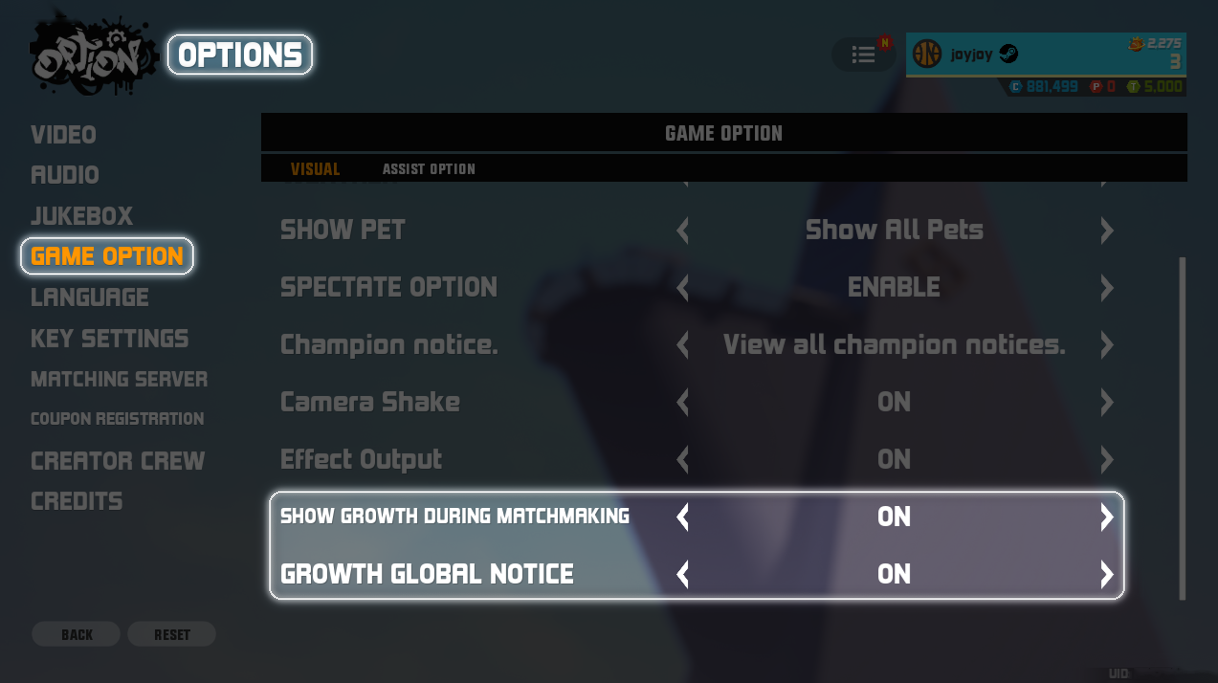
- Turn these on or off in Options > Game Option > Visual.
- 3on3 Freestyle Team

Greetings, FS City
The following are the updates for the end of this month.
[System]
1. Daily Quest Improvement
Complete your daily quest and get more exciting rewards!
Ease your stress with daily tasks and get more valuable rewards!
1) System Change
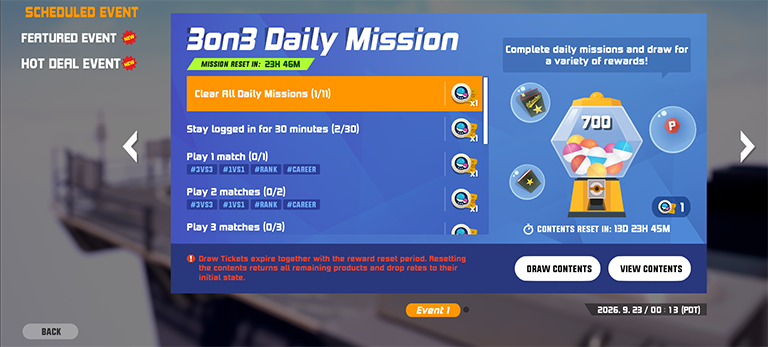
- Upon clearing the Daily Quest, you can receive a Daily Quest Ticket as a reward
- Given Daily Quest Ticket amount varies based on the difficulty of the Daily Quest
- Use Daily Quest Ticket to draw a random reward in the Daily Quest menu
- With Daily Quest Improvement, all daily task rewards are combined into Daily Quest. Now you can get more rewards with simple daily task
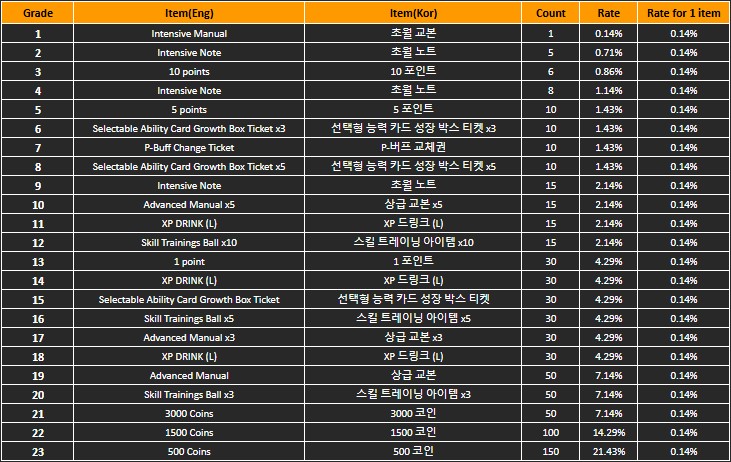
- The drawn reward is removed from the pull, and the rate will be rearranged
- Daily Quest rewards and tickets will be reset every 2 weeks
- If you pull the winner prize before reset, you can reset the reward pull for free
- Daily Quest random reward rate
2. In-Game System/UX Change
The following categories are adjusted as of the 9/23 update.
Please check below for more details.
1) Pass UX Improvement
- A UX improvement patch is applied to the pass system to let you manage your pass more easily.
- A Game Pass menu is added to the lobby menu. In this menu, you can navigate to Growth Pass and Battle Pass
- In the Growth Pass menu, you can manage all characters’ Growth Passes
- In the Battle Pass menu, you can check this season’s Battle Pass and purchase Battle Pass-related products
- With the Battle Pass menu update, all Battle Pass-related products are removed from the shop. You can purchase Battle Pass products via the Battle Pass menu
2) Growth Pass UX Improvement
- When a character’s Growth Pass is active, a badge icon is added to the character so you can check pass status more easily
- The badge icon will show your status of Growth Pass :
*Pass is active on character
*You have available Growth Pass rewards for the character
*Pass termination date is coming
- When you receive a Growth Pass reward, the reward directly goes to your inventory instead of the mailbox
3) Mini Game & Treasure Hunt Closure
- Mini Game is temporarily closed and removed from the menu
- Daily Treasure Hunt event for FS Village is removed
- Possible rewards from Mini Game and Treasure Hunt are moved to Daily Quest. Now you can earn more possible daily rewards from Daily Quest system
4) Ability Card & P-Buff Requirement Adjustment
- Ability Card unlock requirement is lowered to account level 9
- P-Buff slot unlock requirement is lowered:
First slot: unlock at account level 7
Second slot: unlock at account level 10
5) Match Result Skip Function
- Skip button is added to the match result page. Now you can skip the match result and quickly come back to the line up page